
USB-C to HDMI Adapter Pack of 2 – Best Selling in UK
₨ 15
Connect your laptop or phone to an external display with this white USB-C to HDMI adapter. Featuring a silver housing and plug-and-play functionality, it supports high-definition video output up to 4K resolution.
218 in stock
Description
The Problem – Modern Devices Lack HDMI Ports
Ultrabooks, tablets, and smartphones have abandoned full-sized HDMI ports. For example, a MacBook Air has only USB-C ports, making it impossible to connect directly to a projector or TV. Similarly, an iPad Pro or Samsung phone cannot plug into a hotel room TV without an adapter. Furthermore, carrying multiple dongles for different devices is frustrating and easy to lose. As a result, giving presentations or watching movies on a big screen becomes unnecessarily complicated.
This USB-C to HDMI adapter solves that problem. Consequently, you can connect any USB-C device to any HDMI display with a single, simple cable.
High-Definition Video Output – Supports 4K Resolution
Picture quality matters when connecting to a large screen. This adapter supports high-definition video output. Specifically, it delivers crisp, clear images at resolutions up to 4K (3840 x 2160). Therefore, your presentations, movies, and games look stunning on external displays. For instance, watch Netflix in Ultra HD on a hotel TV. Similarly, give a PowerPoint presentation on a 4K projector. As a result, you get the best possible picture quality from your device.
The adapter also supports lower resolutions like 1080p and 720p. Consequently, it works with older TVs and monitors as well.
Plug and Play – No Drivers or Software Required
Some adapters require complicated setup or driver installation. This adapter is truly plug and play. Specifically, no drivers, no apps, and no settings to adjust. Therefore, you simply connect it and it works instantly. For instance, plug the USB-C end into your laptop. Plug an HDMI cable into the adapter and your TV. Your display will appear immediately. As a result, you can start presenting or streaming in seconds.
The adapter is compatible with Windows, Mac, Chrome OS, Android, and iPadOS. Consequently, no operating system restrictions.
White Cable with Silver Housing – Clean and Professional Design
This adapter features a white cable connected to a silver metal housing. Specifically, the silver housing is durable and heat-resistant. The white cable is flexible yet strong. Therefore, it looks clean and professional on any desk or conference table. For instance, the silver housing matches MacBook finishes. The white cable blends with white accessories. As a result, your setup looks tidy and well-designed.
The compact housing also dissipates heat effectively. Consequently, the adapter stays cool even during extended use.
Mirror or Extend Your Display – Flexible Viewing Options
This adapter gives you two ways to use an external display. Specifically, you can mirror your device’s screen exactly, showing the same content on both displays. Alternatively, you can extend your desktop, giving you more screen space for multitasking. For instance, mirror your laptop to a projector for a presentation. Extend your desktop to a second monitor for spreadsheets and email. As a result, you have complete control over your workflow.
Switching between modes is done through your device’s display settings. Consequently, no extra buttons or controls on the adapter.
Real Use Cases for UK Professionals and Travellers
Consider a business traveller staying in a hotel in London. They need to give a presentation to clients in their hotel room. The TV has HDMI but the laptop has only USB-C ports. They pull out this adapter. Plug it into their laptop. Connect the hotel TV via HDMI. Their presentation appears on the big screen instantly. As a result, they impress their clients without struggling with technology.
Similarly, a student wants to watch a lecture recording on their dorm room TV. Their tablet has a USB-C port but no HDMI. They use this adapter to connect to the TV. The 4K support means the video looks sharp and clear. The plug-and-play functionality means no fiddling with settings. As a result, they can study comfortably on a large screen.
Furthermore, a creative professional uses a USB-C monitor as a second display for their MacBook. They need a reliable adapter that supports high resolution for photo editing. This adapter delivers 4K output, so their images are sharp and colour-accurate. The silver housing matches their MacBook’s aesthetic. As a result, they have a productive dual-screen setup.
Wide Compatibility – Works with Most USB-C Devices
This adapter works with a vast range of USB-C devices. Specifically, it is compatible with:
-
Laptops – MacBook Pro, MacBook Air, Dell XPS, HP Spectre, Lenovo Yoga, Surface Laptop, Chromebooks
-
Tablets – iPad Pro (USB-C models), iPad Air (USB-C), Samsung Galaxy Tab S series
-
Smartphones – Samsung Galaxy S series, Google Pixel, Huawei, OnePlus (with DisplayPort Alt Mode)
For example, connect your MacBook to a conference room projector. Connect your iPad Pro to a hotel TV. Connect your Samsung phone to a monitor for DeX mode. As a result, one adapter serves all your USB-C devices.
Supports Audio – Sound Through HDMI
This adapter carries both video and audio. Specifically, the HDMI connection transmits sound along with the picture. Therefore, you get audio through your TV, monitor, or projector speakers. For instance, watch a movie on your laptop but hear the sound through the TV’s speakers. Similarly, give a presentation with video clips that have sound. As a result, no separate audio cable is needed.
If your display has no speakers, you can still use your device’s built-in speakers or headphones. Consequently, flexibility for any setup.
Compact and Portable – Fits in Any Bag
This adapter is small and lightweight. Specifically, the silver housing is about the size of a thumb drive. The white cable is short but flexible. Therefore, it fits easily in a laptop bag, backpack, or even a pocket. For instance, keep it in your laptop sleeve. Toss it in your handbag. As a result, you can always have it with you when you need it.
The compact size also means it does not clutter your desk. Consequently, leave it connected to a monitor without taking up space.
Durable Construction – Built for Daily Use
Cheap adapters break after months of use. This adapter is built differently. Specifically, the silver housing is made from aluminium or sturdy metal alloy. The cable is reinforced at both ends with strain relief. Therefore, it withstands daily plugging and unplugging. For instance, the USB-C connector fits snugly without wobbling. The cable does not fray at the joints. As a result, this adapter lasts for years.
The metal housing also protects the internal electronics. Consequently, it is more durable than all-plastic adapters.
Plug and Play on Mac and Windows – No Setup Required
Some adapters need driver downloads on certain operating systems. This adapter works immediately on both Mac and Windows. Specifically, macOS and Windows 10/11 recognise the adapter automatically. Therefore, you do not need to install anything. For instance, plug it into a MacBook. The external display lights up. Plug it into a Dell laptop. The same result. As a result, you can switch between devices effortlessly.
Chrome OS and Android devices also work without additional software. Consequently, universal compatibility.
Supports High Refresh Rates – Smooth Video Playback
For video and gaming, smooth motion matters. This adapter supports high refresh rates at lower resolutions. Specifically, it can handle 60Hz at 1080p and 30Hz at 4K. Therefore, video playback is smooth without stuttering. For instance, watch action movies or play games with fluid motion. Similarly, scroll through documents without lag. As a result, a better viewing experience.
The adapter is not designed for high-end gaming at 144Hz. Consequently, manage expectations for competitive gaming.
Great for Presentations – Reliable Connection
There is nothing worse than an adapter failing during a presentation. This adapter is designed for reliability. Specifically, the secure USB-C connection does not disconnect when bumped. The metal housing dissipates heat, preventing overheating. Therefore, you can present with confidence. For instance, give a 60-minute lecture without the display flickering. Show a video-heavy pitch without audio dropouts. As a result, you look professional and prepared.
The white cable is easy to see. Consequently, you can quickly identify your adapter among others.
Not for Charging – Video Only
This adapter is for video and audio output only. Specifically, it does not support power delivery (charging). Therefore, your laptop or phone will not charge through this adapter. For instance, if your battery is low, you will need a separate charger. As a result, manage your expectations accordingly.
If you need simultaneous charging and video, look for a USB-C hub with HDMI and power delivery. Consequently, choose the right adapter for your needs.
Supports DisplayPort Alt Mode – Required for Compatibility
For this adapter to work, your device must support DisplayPort Alt Mode over USB-C. Specifically, most modern laptops, tablets, and phones support this standard. For example, MacBooks, iPads Pro, Samsung Galaxy phones, and Dell XPS laptops all support it. However, some budget devices may not. Therefore, check your device specifications before purchasing. As a result, you avoid compatibility issues.
If your device does not support Alt Mode, this adapter will not work. Consequently, verify compatibility.
Affordable Solution – No Need for Expensive Docking Stations
Docking stations with HDMI ports cost £50-£150. This simple adapter costs a fraction of that. Specifically, it provides the same video output functionality without the extra ports. Therefore, it is perfect for users who only need to connect to an external display. For instance, a student who only needs to connect to a projector. A traveller who only needs hotel TV connectivity. As a result, you save money while getting the function you need.
The adapter is small and easy to carry. Consequently, ideal for minimalists and travellers.
This USB-C to HDMI adapter with white cable and silver housing is supplied by Sellertree, a UK-based online seller of practical connectivity and AV essentials.
BULLET POINTS
✅ USB-C to HDMI – connect laptops, tablets, and phones to external displays
✅ Supports 4K resolution – ultra high-definition video output
✅ Plug and play – no drivers, no software, instant connection
✅ Mirror or extend – flexible display options for work and entertainment
✅ White cable with silver housing – clean, professional, durable design
✅ Supports audio – sound through HDMI to TV or monitor
✅ Wide compatibility – MacBook, iPad Pro, Dell XPS, Samsung phones, and more
✅ Compact and portable – fits in any laptop bag or pocket
SPECIFICATIONS TABLE ABOUT USB-C to HDMI Adapter
| Feature | Detail |
|---|---|
| Product type | USB-C to HDMI adapter |
| Input | USB-C (male) |
| Output | HDMI (female) |
| Max resolution | 4K (3840 x 2160) at 30Hz |
| Also supports | 1080p at 60Hz, 720p, 480p |
| Audio support | Yes (via HDMI) |
| Housing material | Silver metal / aluminium |
| Cable colour | White |
| Plug and play | Yes – no drivers required |
| Power delivery | No (video and audio only) |
| Compatibility | Devices with DisplayPort Alt Mode over USB-C |
HOW TO USE THIS USB-C to HDMI Adapter
-
Plug the USB-C end of the adapter into your laptop, tablet, or phone.
-
Connect an HDMI cable (not included) from the adapter’s HDMI port to your TV, monitor, or projector.
-
Your device should automatically detect the external display.
-
On Windows, press Windows Key + P to choose mirror or extend mode.
-
On Mac, go to System Preferences > Displays to adjust settings.
-
On Android/iPadOS, the display should mirror automatically.
-
To disconnect, unplug the adapter from your device.
Additional information
| Weight | 0.085 kg |
|---|
Related products
-
-
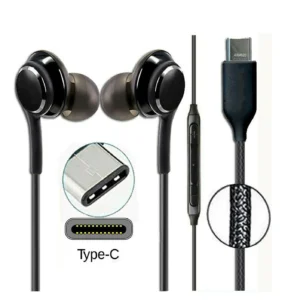
USB Earphones – C type Earphones with Mic wired Best earbuds in uk
Price range: ₨ 6 through ₨ 11Select options This product has multiple variants. The options may be chosen on the product page -
-
Reviews
There are no reviews yet.